

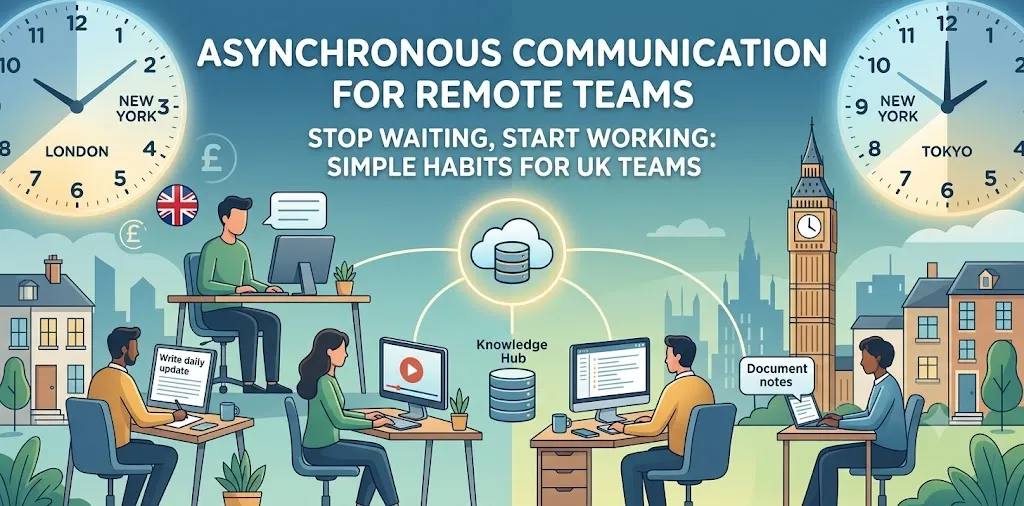
Working across different time zones is hard. You send a message on Slack, but nobody replies for hours. You sit at your desk waiting for answers instead of doing real work. This slow pace frustrates team members and delays important project goals.
The fix is asynchronous communication. This simply means working without waiting for live replies. Team members share clear updates, read notes when they start their day, and keep projects moving forward without constant meetings.
In this guide, you will learn simple habits that help remote teams share news, make choices, and finish jobs faster. You will see how to cut out extra video calls and stop constant message pings. By the end, your team will waste less time waiting and enjoy a stress-free workday.
Asynchronous Communication Habits for Remote Teams
Remote teams work better when they do not need to talk at the exact same time. These habits help everyone share updates clearly, plan daily tasks, and respect deep work hours.
Clear Daily Updates Without Live Meetings
Daily video calls often waste time. People join late, talk about their weekend, or share minor details that do not matter to the group. A better way is writing a short daily update in a shared chat channel or document.
Each team member answers three quick things:
- What I finished yesterday
- What I plan to do today
- What is blocking my work
When I managed a remote content group in London, we switched from a 30-minute daily morning call to written Slack updates. Our team saved over two hours every week per person. People spent that extra time writing and designing instead of sitting on camera.
Written updates also create a quick record. If someone is sick or takes a day off, they can read past updates to see what happened without asking others to explain. Keep these notes short and to the point. Use bullet points so team members can read them in less than two minutes.
The Art of Detailed First Messages
When you send a message, give all the details right away. Do not just say “Hi” and wait for a reply. That back-and-forth chat wastes hours while people wait for each other to type.
A good complete message includes:
- The exact topic or project name
- What you need help with right now
- The context or link to the main file
- The exact time or date you need an answer
Instead of asking “Do you have the budget file?”, write “Here is the link to the Q3 budget spreadsheet. Please check row 14 by 3 PM tomorrow.” This gives the reader everything they need to take action at once. If you want to learn more about setting up chat channels, check out our related guide on remote tool setups.
This habit cuts down on useless ping-pong messages. It allows people to answer on their own schedule without losing context.
Recording Screen Videos Instead of Holding Calls
Some ideas are too complex for a text message. Instead of booking a 15-minute video call, record a short screen video. Tools like Loom let you talk over your screen while showing a design, document, or code fix.
Screen videos work well because:
- The viewer can watch at double speed to save time.
- People can rewind parts they did not catch the first time.
- You can keep the video as a training guide for new hires.
A quick case study shows how useful this is. A software company tested screen videos for bug reports. Instead of booking live calls to show errors, developers sent two-minute videos. The team fixed bugs 40% faster because they saw the exact problem right away.
Keep screen videos under three minutes. Speak clearly, point to the issue on your screen, and state what outcome you expect from the team member.
Establishing Fixed Answer Windows
Async work fails if people feel forced to check messages every five minutes. Constant pings break focus and cause stress. Teams need clear rules about response times so no one worries about slow replies.
Set realistic times for team members to answer:
- Chat messages: Reply within 4 hours
- Email: Reply within 24 hours
- Urgent issues: Use a phone call or SMS
When people know they have a 4-hour window, they turn off notifications to focus on deep tasks. They might check messages once at 11 AM and once at 4 PM. This gives them long blocks of quiet time to write code, design graphics, or write reports.
Make sure everyone marks urgent items correctly. True emergencies are rare in daily work. If everything is labeled urgent, the system breaks down and stress levels rise.
Building a Central Knowledge Hub
Information must live in a central place that everyone can search. Do not hide important project choices in private emails or chat threads. Put project plans, guidebooks, and meeting notes in a public tool like Notion or Confluence.
A good knowledge hub should hold:
- Standard operating guides for daily tasks
- Past project plans and results
- Company policies and time-off rules
- Answers to common staff questions
During a redesign project I led, team members kept asking for brand logos and color codes in chat. We created a single “Brand Rules” page. Anyone who needed an asset grabbed it in seconds. We stopped getting daily requests for basic files.
For help organizing your digital files, read our related guide on cloud documentation tips.
When your knowledge hub stays updated, new staff can train themselves easily. They do not have to wait for senior staff to answer basic questions about how things work.
Frequently Asked Questions
This section answers top questions people search for on Google. Get clear facts on how to switch your remote team to async habits today.
What is the main difference between synchronous and asynchronous work?
Synchronous work happens in real time, like live phone calls or meetings. Asynchronous work happens over time, letting people read and reply to messages whenever they are free.
How do you handle emergencies with asynchronous teams?
Set up one specific channel for real emergencies, like a phone call or text message. Use this path only when a project or site is down and needs instant help.
Is asynchronous communication good for all types of work?
It works best for deep, focused tasks like writing, coding, and design. Brainstorming or complex team problems may still need short, live video calls to solve quickly.
Conclusion
Switching to asynchronous habits makes remote teams faster, calmer, and more productive. By removing unnecessary live meetings and constant chat pings, you give your team time to focus on deep, meaningful work. Clear written updates, screen recordings, organized docs, and explicit response rules form the backbone of a successful remote culture.
Start small so you do not overwhelm your team. Pick just one habit to try this week—like replacing your daily standup call with written Slack updates. Watch how much time your team saves and ask for their feedback after five days.